Bring your numbers.
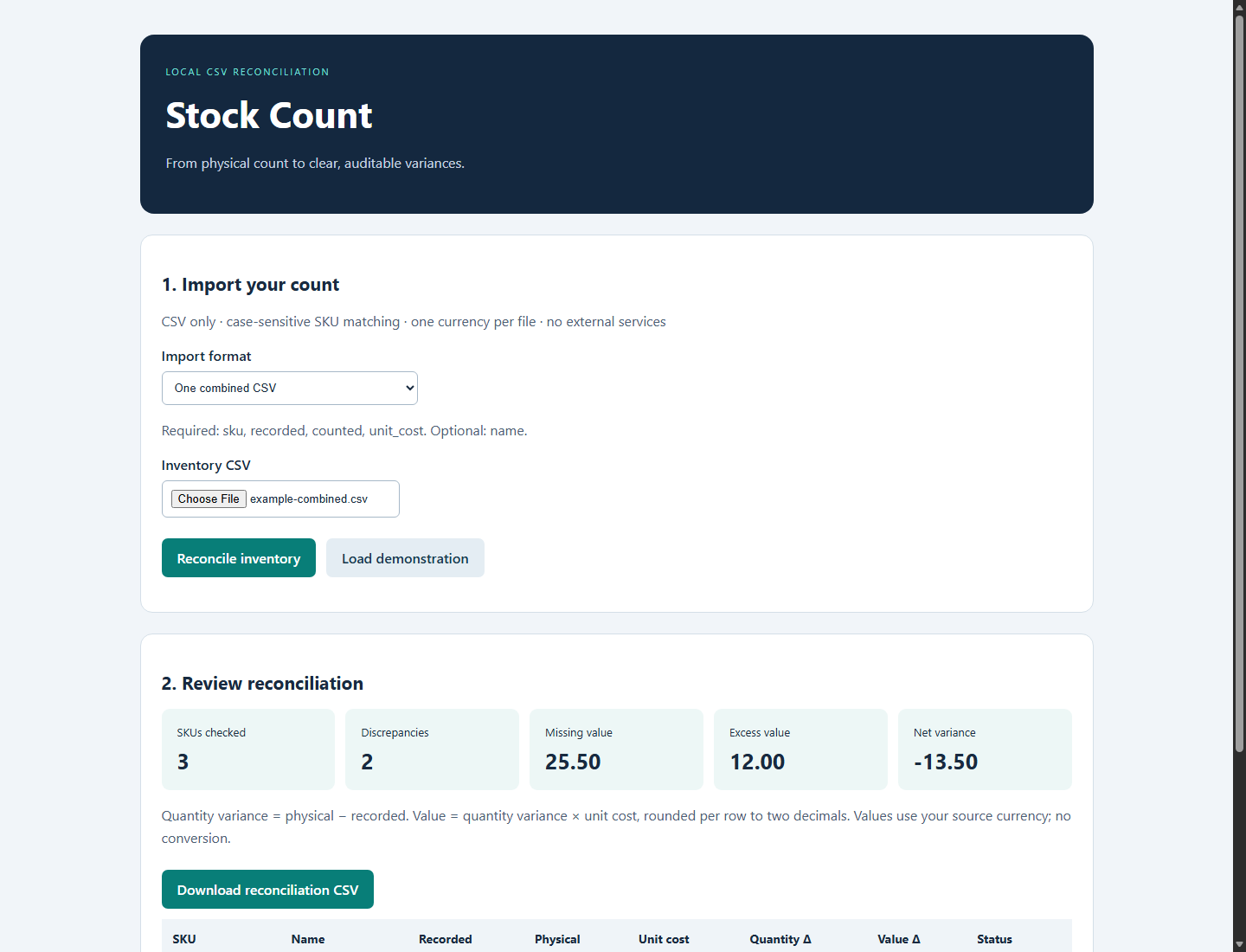
Import one combined CSV or separate recorded-stock and physical-count files. Required-column and value checks help catch invalid inputs.
Combined or separate CSVs
Compare physical stock with your records. See shortages, excess and value differences—then export a report you can review.
One-time purchase · Single-business license · No subscription
Keep your existing inventory system.
Use Stock Count for the comparison.
Import one combined CSV or separate recorded-stock and physical-count files. Required-column and value checks help catch invalid inputs.
Review quantity differences, shortage value, excess value and net variance using your unit costs. A small net total can hide larger differences.
Download a reconciliation CSV for review. Recount unexpected results before changing records. Stock Count never updates your POS.
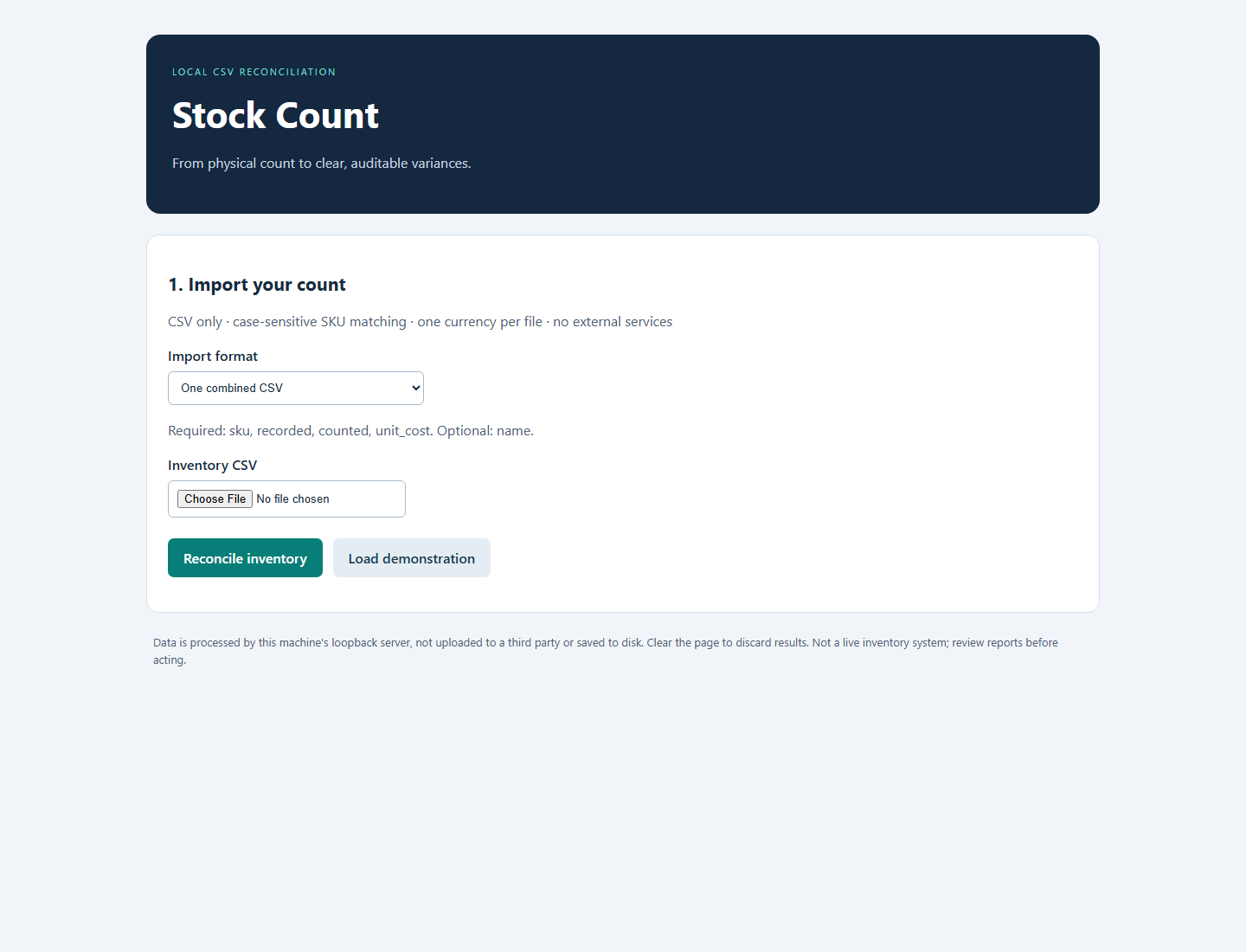
Genuine application screenshot · Sample-data workflow
Already working with stock spreadsheets? Get a repeatable comparison workflow without maintaining reconciliation formulas.
If your spreadsheet already handles this well, you may not need Stock Count. This is manual CSV reconciliation—not live inventory tracking, barcode scanning or POS integration.
The sample compares three made-up products. A 25.50 shortage and 12.00 excess produce a −13.50 net variance.
Captioned, silent walkthrough edited from genuine application captures. Synthetic data—not customer results or a real-time speed claim.
Download the demonstration ↓30-second walkthrough · Captions included · No sound
Windows 11 x64 and a modern browser. Not ARM64, macOS or Linux. Bundled runtime; no separate Python or Docker installation.
Exact UTF-8 headers required; manual formatting may be needed. Up to 10,000 rows and 2,000,000 bytes per input. Matching SKU sets for separate inputs. One currency; no conversion.
Perpetual internal use of the purchased version by one business, its employees and controlled computers. No redistribution. Issued maintenance updates for that release line included; no lifetime feature-upgrade promise.
Voluntary full refunds within 14 days, including change of mind. Email-only support for 90 days; initial reply target three business days, Eastern Time. Mandatory rights and Gumroad authority remain unaffected.
Combined: sku,recorded,counted,unit_cost, with optional name. Separate: sku,recorded,unit_cost and sku,counted. Headers and SKU matching are case-sensitive. Missing counts are not silently treated as zero.
CSV processing happens in your browser and a local loopback server on your computer. The shipped app has no telemetry or inventory cloud sync. Exports, browser/OS records and other local software may retain data. Gumroad processes purchases; Google Gmail processes support correspondence. Do not email confidential inventory. See the complete customer terms below.
The Windows application, bundled runtime and required license notices, double-click launcher, customer guide and three synthetic sample CSVs. Extract the complete ZIP and read START-HERE.txt before opening the launcher. Keep files together; never bypass security warnings.
The owner reports RC029 passed Windows Sandbox acceptance on one Lenovo ThinkPad. That is isolated same-laptop testing, not independent physical-device testing. Release-037's badge-only application change received focused host-side checks. No universal compatibility guarantee is made.
A focused Windows tool for the comparison after the count.
Stock Count for Windows
Buy on Gumroad ↗Review the offer and complete payment on Gumroad.